Logitech C920 HD Pro Webcam
Choose your Logitech webcam:
No coverable lens
This is the one
Logitech C920 HD Pro Webcam





Choose your Logitech webcam:
No coverable lens
Current product
Retail price
€ 98,-€ 65,-
Retail price
€ 159,-€ 109,-
Retail price
€ 119,-€ 76,90
Retail price
€ 139,99€ 77,90
Retail price
€ 69,99€ 54,90
Full HD (1080p)
4K Cinema
Full HD (1080p)
4K Cinema
Full HD (1080p)
Yes
Yes
Yes
Yes
Yes
Yes
Yes
Yes
Yes
Yes
Yes
Yes
Yes
Yes
Yes
According to our webcam expert
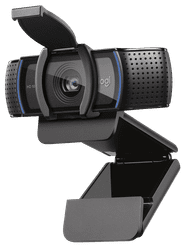
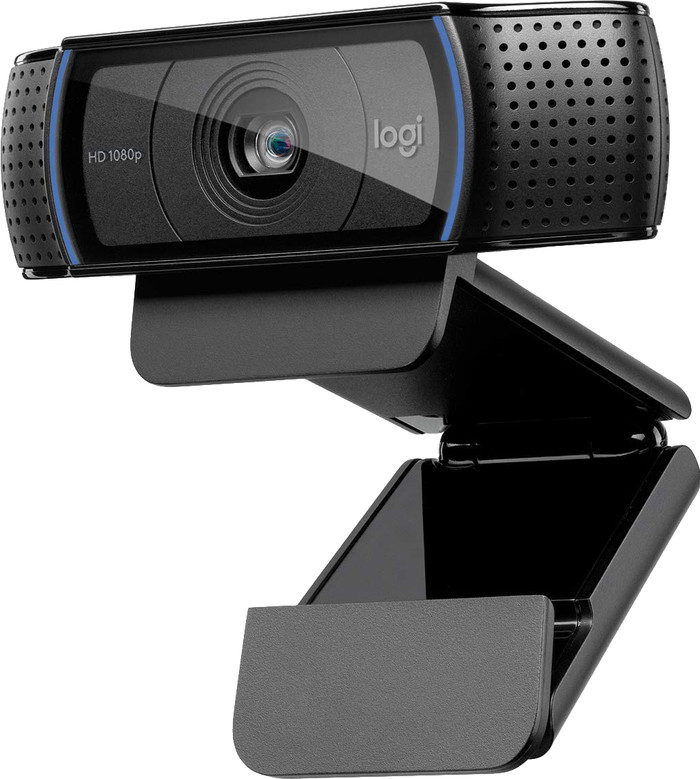
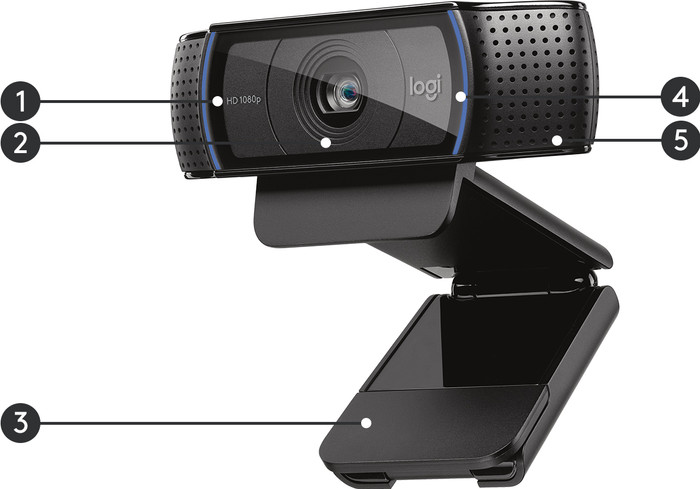
With the Logitech C920 HD Pro, you can conduct online conversations and create videos in Full HD quality. Record a YouTube video in your bedroom, make a Skype call with your traveling friend in New Zealand, and take 2MP photos with this webcam. All without appearing in frame blurry, because this camera has autofocus. The 2 built-in stereo microphones ensure that you're always coming through loud and clear during a video call or recording. With the universal clip, you can click this Logitech C920 onto a tripod, your laptop, or a computer screen.
Plug and Play | ||
|---|---|---|
Compatible with operating system | Android, ChromeOS, Windows, macOS | |
Autofocus | ||
Sharpness | Full HD (1080p) | |
Built-in microphone |
5 stars
266
4 stars
76
3 stars
9
2 stars
2
1 star
3
Installation
Quality
Options
Have had this cam for a number of years, and ordered a 2nd one this week.
I make videos on youtube and then it is useful if you can switch between 2 cams, or make 2 images in 1 image, as an example:
Euro Truck Simulator. 1 cam focused on the steering wheel and the 2nd cam on the pedals, and in addition a screen recording (windows key + G) later editing everything, ideal.
The product description states that panning and zooming is not possible, that is not entirely correct. you can indeed do none of this with the physical cam itself, but if you install Logitech "capture software" then there are many more possibilities than just panning/zooming. How about using color filters? Or picture-in-picture recordings? Add colored borders as video list ? Just to name a few features.
The cam itself is "plug & play" in windows 10 and have been enjoying it for years.
Good quality image, sound reasonable, good for a cam, but since I use a studio microphone as a sound recording device instead of the built-in microphone of the cam itself, this is of course not comparable.
For normal video communication, the built-in microphone is very clear and you certainly don't have to yell to be heard at the other end. Even if you make soft sounds, the cam picks up surprisingly well. Of course you do have to set your sound settings in Windows 10 properly, but that goes without saying, right?
I love design, widescreen. The clip under the cam itself, which can be placed in various positions, is handy. This also has a rubber foot so that you can easily attach the cam to the monitor edge without damage, it remains very stable in place and it is also a non-slip foot because the cam on your monitor edge certainly does not shift. In front of the cam lens is real glass and not plastic. The cam can take a beating, given what I've filmed with it all these years.
A nice side effect of this cam is that at the bottom of its foot, there is a regular screw connection, just like you find on SLR cameras. This allows you to attach the cam to a small or large photo tripod (see photos) and it stays firmly in place. Most cams do not have this option.
Ideal device also for Skype or other video applications such as team viewer.
Highly recommended, costs a bit, but then you also have something.
2nd cam by the way with a nice offer of price, ordered this week. Also nice to have :)
How "Cool" is that?
Wouter Griek
12 April 2019
Automatically translated from Dutch
I need the Logitech C920 HD Pro Webcam for streaming, now I like it very much.
The webcam can zoom in far, you can place it to the left or right, which most cams do, but then the quality drops quickly and with this cam not.
The webcam automatically focuses when it is dark. The webcam itself can make it brighter. Everything goes so automatically which is very nice, in my opinion I find; this the best webcam.
Jeremy de Ruiter
24 July 2016
Automatically translated from Dutch
Beautiful webcam for fast connections. With slow connections you have to lower the resolution due to the amount of data being transferred. 100% Linux supported. No surprises.
Patrick Op de Beeck
25 March 2016
Automatically translated from Dutch
With Coolblue Extended Warranty, you are protected against costs due to quality defects of your webcam for the next 4 years. During the entire term, we will reimburse up to the original purchase price. You can easily add the Extended Warranty in your shopping cart.
€ 14,99
one-timeAdd your webcam to your shopping cart. In the next step, you can add the Extended Warranty. You can exchange or return your purchase for free within 30 days.
Product number | 687267 |
|---|---|
Manufacturer code | 960-001055 |
Brand | Logitech |
Warranty | 2 years |
Processing of your defect | Carry-in warranty |
Plug and Play | ||
|---|---|---|
Compatible with operating system | Android, ChromeOS, Windows, macOS | |
Sharpness | Full HD (1080p) | |
Autofocus | ||
Facial recognition | ||
Automatic brightness adjustment | ||
Coverable lens | ||
Tiltable | ||
Type of webcam holder | Universal clip | |
Built-in microphone | ||
Microphone noise suppression | ||
Microphone recording type | Stereo |
Type of USB port | Standard USB-A | |
|---|---|---|
Connection type | Wired | |
Compatible with operating system | Android, ChromeOS, Windows, macOS | |
Cable length | 1,5 m |
Width | 7,62 cm | |
|---|---|---|
Depth | 20,96 cm | |
Height | 15,24 cm | |
Weight | 275 g | |
Color | Black | |
Material | Plastic | |
Plastic type | Plastic | |
Finish | Matte and glossy |