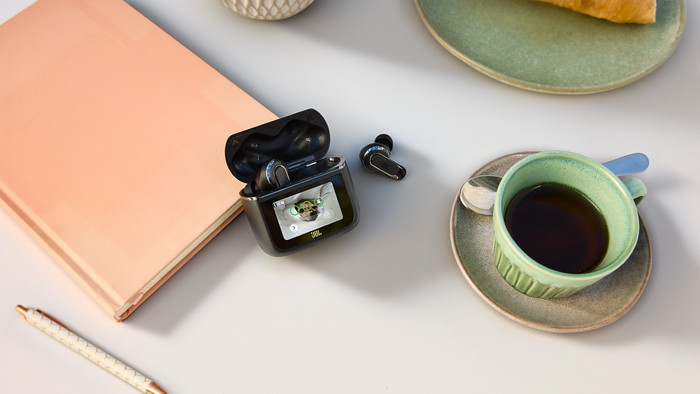
With the new JBL Tour Pro 3, I have many options to adjust my music playback with the charging case. I can also read a lot of information on the screen. Music also sounds clear and balanced. Unfortunately, I cannot find the charging case itself in the app if I lose it.
New charging case
The JBL Tour Pro 3 has a charging case with touchscreen. This 1.57 inch screen is large, which makes it easy for me to read which song I am playing and which WhatsApp messages I receive, without having to take my phone out of my pocket. I also use the screen to adjust the equalizer with pre-made presets from JBL. I can even adjust the photo in the background. I use all these applications often, which means I am on my phone less often. I do miss a 'find my charging case' function. If I were to lose the case now, I would not be able to find it easily, which I think is a shame.
Strong noise cancelling
I went on holiday with these earphones and on the plane I could hardly hear the engines when I had the earphones in. I liked this. Even when I work in the office, I don't hear my surroundings clearly, which allows me to focus on my work.
Sound quality
Music sounds balanced, which means that the high, low and mid tones sound clear, without any of the 3 being emphasized. This makes music styles like pop and (indie) rock sound nice. I do miss the intensity in the music. I expected a more intense experience, especially with the bass, but otherwise I am satisfied with the sound reproduction. In the JBL Headphones App I can adjust the music reproduction, which allows me to put more emphasis on the bass, for example.
Design
The earbuds are a combination of an earbud and in-ear earphones. This means that they have the shape of an earbud with ear tips at the end. This ensures that the earbuds sit firmly in my ears and do not feel heavy. This allows me to use the earbuds for both long and short listening sessions without any difficulty.