I am happy with this Epson printer. It works well and easily. This printer is not cheap but offers value for money.
There is a reasonably clear quick start manual in the package. Blue tape indicates where to remove packaging material on the device. The printer was then easy to install via the Epson website. Ink cartridges are included. It is a WiFi printer, but I use it via a USB cable (the USB printer cable is not included in the package, so you have to buy it).
The printer has 2 paper trays in the device itself (they do not protrude). Photo paper can be loaded in the top tray as standard. A4 paper in the lower tray. Under the bottom tray is a slide to print CDs.
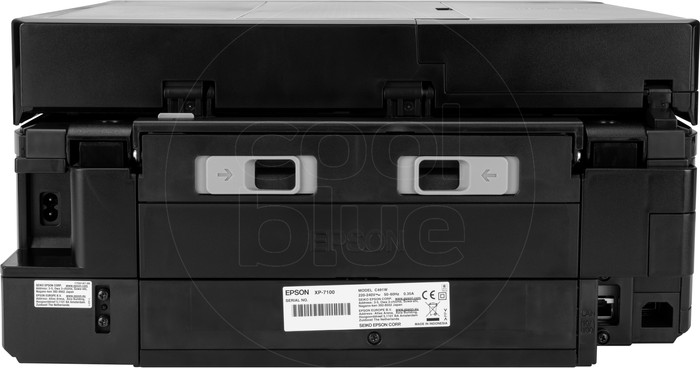
At the back you can fold out something to manually feed special paper. If you don't use that holder permanently, it is neatly hidden in the device.
On top is a flap under which the sheet feeder is located. I have already made copies via that sheet feeder without the PC being connected. You then operate the printer via the digital screen at the front. I found the operation clear and easy.
I have already scanned pages to PDF. This was done quickly and easily via the sheet feeder and the scan menu on the PC. You can set everything in that menu, such as color or black and white, resolution, double-sided scanning, remove blank pages and the folder in which you want to save the document.
Photo prints are sharp and have good color. Whether the ink retains its color well in a sunny room, I do not know. I don't have the device enough for that yet.
It is useful that Epson gives its ink series a picture. The '33/33XL' ink cartridges of this printer are part of the Orange series. New Epson ink cartridges are unfortunately quite expensive and not available at all bookstores.
Still, I go for brand patterns. My experience with cheaper inks for my previous Canon printer is that those inks discolor faster. You don't want that for your photos. Epson offers an option that allows them to keep track of when your ink has run out. I don't use it for privacy reasons.
The printer is not silent, you can hear that it is printing. You can choose a quieter mode, but printing will then be slower. I personally don't mind the sound because I don't print all day long.
You can download or simply read the digital manual of the printer on the site below. I did that beforehand to orientate myself on the possibilities of use of this printer. https://www.usermanual.com/Epson-EXPRESSION-PREMIUM-XP-7100/manual-5-675259.html