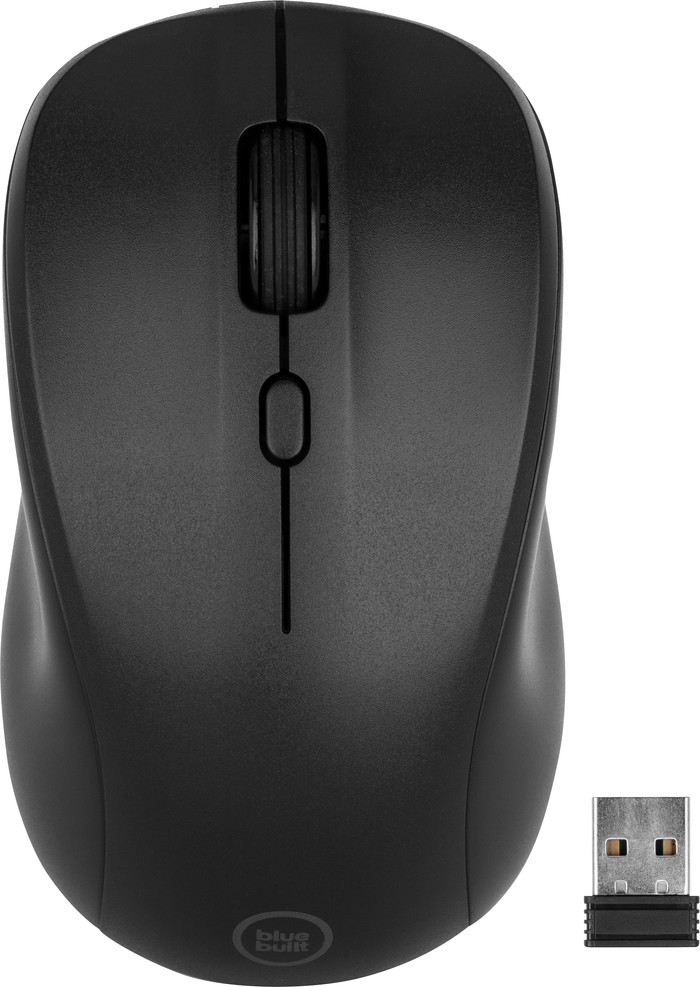
The BlueBuilt Nexum Wireless Mouse is the ideal mouse for every usage situation. It's wireless and lightweight, so I can easily put it in my bag and take it with me to work or study. The buttons are silent and therefore not distracting. I connect it quickly via the included USB receiver. This is less practical than a Bluetooth connection, because I am limited to the USB-A port of my laptop or desktop. I quickly need a USB hub or docking station for my MacBook. Luckily I do, so it's not a problem for me.
First impression
In the packaging I find everything I need: the mouse, a USB-A to USB-C charging cable and of course the manual. The included USB-A receiver is hidden under the cover at the bottom of the mouse. I can take this out easily. Nothing is more annoying than a USB receiver that you have trouble getting out of the mouse. I plug the receiver into my laptop, turn the mouse on with the 'on/off' button and within seconds the mouse is connected. It can hardly be easier.
Comfortable surfing
The Nexum is a good size and narrower where your thumb and little finger usually rest. This makes the mouse comfortable to hold. I notice that I surf the web for hours on end with this BlueBuilt mouse, without my hand cramping. I work a lot behind my laptop and desktop, so it is important to me that I can use it intensively. It is therefore also ideal for students. You spend hours searching the internet for the right sources for your thesis. The smooth scroll wheel lets me fly through web pages and documents without annoying noise around me. I set the dpi to my liking via the button below the scroll wheel. I have a choice of 3 different speeds: slow, medium and fast. Medium is usually just right for me, including the Nexum.
Battery lasts a long time
I notice that the battery lasts a long time, so charging is not often necessary. Is the battery low? Then the light under the dpi button turns red. So I am never surprised with an empty mouse. The included charging cable is long enough, by the way. Using the mouse while it is charging is therefore no problem. You also get a 5-year warranty on this mouse, which is much more than with most mice. I think almost everyone will enjoy the BlueBuilt Nexum for a long time, whatever your usage situation. You use it at home, at work or in the lecture hall. Did you buy it during your studies? Then you can also use it for your first job.