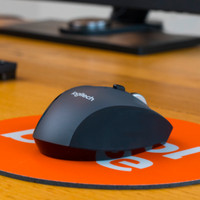
Thanks to the 2 programmable thumb buttons, you can easily navigate through your browser and programs.
The MX Vertical has an ergonomic handshake design that prevents strain on your wrist and tendons.
Use the MX Vertical wirelessly via the included receiver or connect directly via Bluetooth.
The MX Vertical is only suitable for right-handed users.
Description
No matter if you're at home or at the office, the Logitech MX Vertical Ergonomic Mouse helps you work on your PC or laptop without your wrist bothering you. The handshake design with a 57-degree angle prevents you from twisting your wrist and squeezing your tendons and nerves. Thanks to the 2 thumb buttons and a DPI button, you can easily navigate through folders and websites. You can also choose how fast the cursor moves over your screen. You connect the MX Vertical in one of 3 ways: with the included USB receiver, directly via Bluetooth, or via the included USB-C cable.
What a SUPER mouse!
Your forearm is much more relaxed on your desk.
Speed can be set with 1 button, so it can be used by multiple users without having to dive deep into settings.
Connecting is really nice.
Via USB, via (Cool)Bluetooth, or the normal wireless stick that is included.
Battery lasts LONG, and charges quickly via the included cable.
I could go on and on about how this mouse at home and at work makes everyone's eyes and jealous, but then I spend more time with the keyboard than with the mouse, and I don't like it.
Johan Savelkoul
9 May 2019
Automatically translated from Dutch
Review is 9,6 out of 10.
9,6/10 ()
Very good, but not perfect and not for everyone
battery
back and forth buttons
expensive
Pure as a mouse, this is the quality you can expect from Logitech: precise, good build quality, works on every surface, material feels pleasant. Clicking is a bit tricky at first as you have to counterbalance it with your thumb, then you sometimes get the effect of moving the mouse a little while you click.
As far as ergonomics are concerned, I can say the following. It takes some getting used to not to overextend your hand, but to simply put it in line with your arm. That said, the stride is much smaller than a trackball. You immediately feel that the movement comes much more from the elbow and less from the wrist. I wouldn't dare say that there is no more load on the wrist, but it is quite different. I use this at work and at home I use a classic mouse, so overloading is certainly not an issue. The reason I bought this mouse (sore wrist) ended up having nothing to do with overload, so I can't testify that this mouse really solves that, although it certainly feels different from a classic mouse.
further:
I had to charge the battery for the first time after 2 months, you can continue working via USB cable.
connection via bluetooth works perfectly
Most mice are too small for me and offer too little support. This one does that quite well, but it's still not the ideal solution for people with large hands.
the switch button to switch between sensitivities is quite nice, but after a while you can just do everything on the most sensitive setting. You can adjust the sensitivity of the two modes with some software that comes with the mouse.
easier to punch given the height
I really miss side-ways scrolling with this mouse
Lander Verhack
31 October 2018
Automatically translated from Dutch
Review is 10 out of 10.
10/10 ()
Right shape with nice 'look and feel' factor
Very nice attitude
Many connection options
highly accurate
Working with the mouse for long days gave me pain in my wrist and muscles in my hands. Engrossed in vertical mice and chosen for its specific shape, accuracy and 'look and feel'. Very satisfied and the arguments mentioned have been very positive. It takes some getting used to this position, but after 2 days it is quite normal. A much more natural attitude, recommended!
Marco van Gurp
13 September 2018
Automatically translated from Dutch
Specifications
The list with properties are filtered when you type