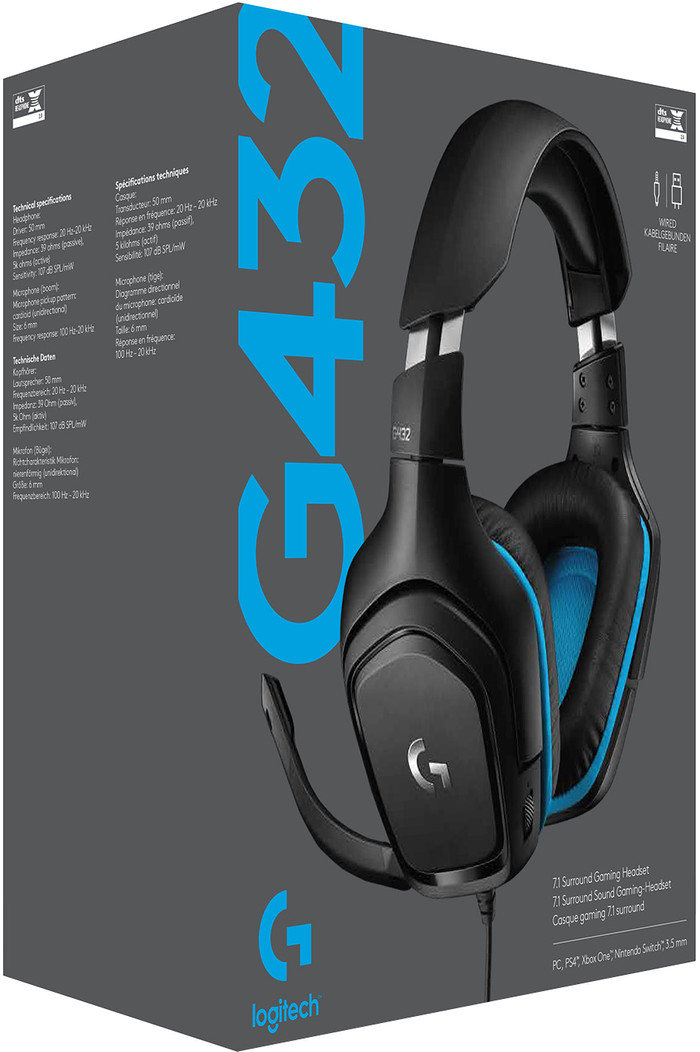
Sound
The sound of this headset is simply superb!
In collaboration with the g-hub software that can be downloaded from the logitech website, it is even possible to adjust the sound to your liking with, for example, the equalizer.
There is a volume knob on the headset, with which you can easily turn the sound up or down.
The maximum sound level can also be preset via the g-hub software.
Connect
I myself assumed that the headset would be plug and play. Now it is possible to connect the headset in different ways, but if you want to enjoy the 7.1 sound, it is necessary to do this via the USB connection.
I soon found out that the microphone did not work when the headset was connected via the USB port.
Finally found a solution, namely:
• Control Panel
• Hardware and Sound
• Sound
• The [record] tab
• Right click on the microphone of the G432
• Advanced
• For standard format, choose 16-bit DVD quality.
• To apply
In this way, both the 7.1 sound and the microphone work via only the USB connection.
It is also possible to connect the headset via the 'green' and 'pink' analog audio connections via the supplied cable.
Microphone
As mentioned, it is possible to connect the headset in different ways.
To make the microphone 'recordings' sound as good as possible, I recommend connecting the headset via USB.
To get the microphone working, use the above method.
When used in this way, your interlocutors will not suffer from noise or distortion. You will therefore be clearly understood at a clear volume.
This volume can also be adjusted via the g-hub software.
Conclusion
A very complete headset, with a sound above its price range.
Connecting was a bit tricky in my case and took some research, but with the instructions in this review, you shouldn't have any problems.
I definitely recommend that you buy this headset, because in addition to the sound that sounds really good and the noiseless microphone, it is also very comfortable.
So a real bargain.