Written by Giorgos
Edited on
7 October 2025
·
08:48
How do you choose a business laptop?
Looking for a business laptop, but don't know which one's best for you? Try to think of the business tasks you want to use the laptop for. Do you analyze data in Excel, edit photos, or work with demanding 3D programs like AutoCAD? In this article, we'll help you make the right choice.

Choose a business laptop
All business laptops run on Windows Pro. But what are the important differences when you choose a business laptop? Ask yourself what you want to use your laptop for:
- Do you want to send emails and work with Office programs?
- Do you want to design with programs like Adobe Photoshop?
- Do you want to edit company videos with programs like Adobe Premiere Pro?
- Do you want to render 3D objects in programs like AutoCAD?

Sending emails and working with Office programs
You don't need a powerful laptop to go through your inbox, write a report in Word, prepare a presentation in PowerPoint, or analyze data in Excel. Choose a laptop with these specifications:
- At least an Intel Core i3 processor
- 8GB RAM or more

Digital design with programs like Adobe Photoshop
Do you want to get started with photo editing or graphic design? As a designer or photographer, you need a powerful laptop to run programs like Photoshop, Lightroom, and Illustrator. A Full HD screen makes sure your work appears sharp on the screen. A laptop for digital design has these specifications:
- At least an Intel Core i5 or AMD Ryzen 5 processor
- At least 8GB RAM, but we recommend 16GB
- At least a Full HD screen
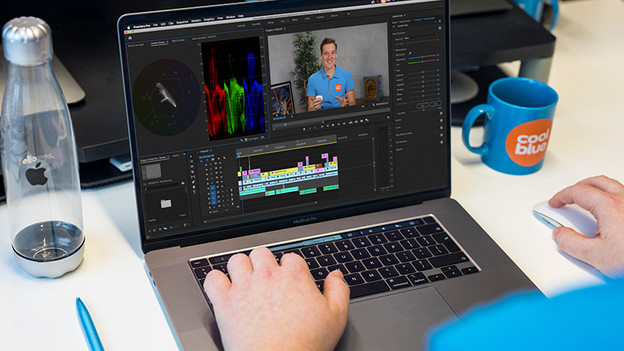
Editing company videos with programs like Adobe Premiere Pro
Editing videos takes a lot of processing power. A laptop with a good processor renders your videos fast, so you don't have to wait 'forever'. Do you want a bit of extra rendering power? Choose a laptop with a dedicated video card, although that's not a must. For a laptop for video editing, choose:
- At least an Intel Core i7 or AMD Ryzen 7 processor
- 16GB RAM or more
- At least a Full HD screen
- An NVIDIA, AMD, or Intel Iris Xe video card that processes your images extra fast

Rendering 3D objects in programs like AutoCAD
As an architect or 3D designer, you use demanding programs like AutoCAD, Civil 3D, or 3ds Max. You need a very powerful laptop with a dedicated video card to use 3D design programs. NVIDIA has special Quadro video cards that are certified by AutoCAD. A laptop for 3D design has these specifications:
- At least an Intel Core i9 or AMD Ryzen 9 processor
- At least 16GB RAM, but we recommend 32GB or more
- At least a Full HD screen
- An RTX, Quadro, or RX video card
Article by Giorgos
Laptop Expert.